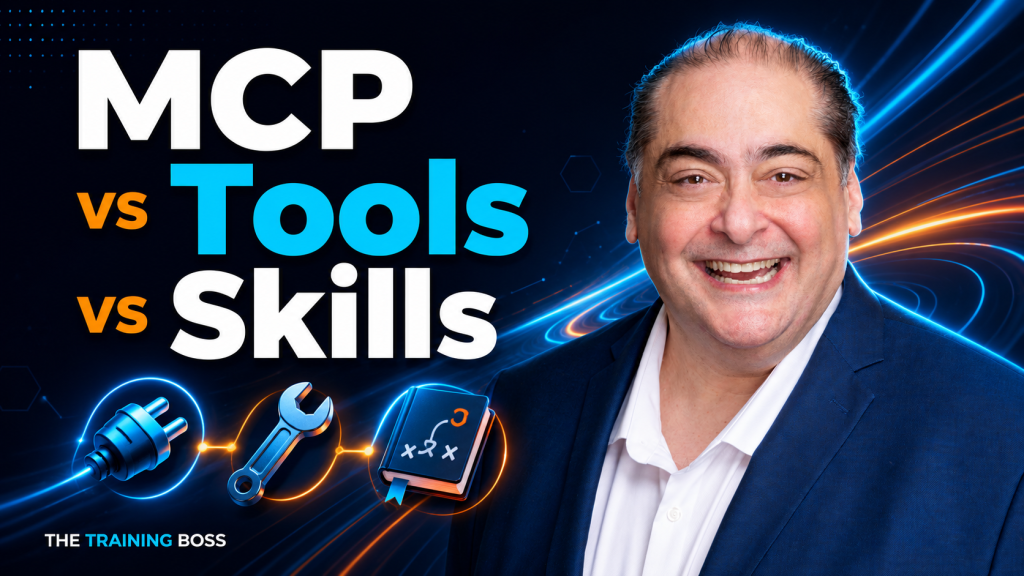
“Should we use MCP, tools, or skills?”
It sounds like a reasonable architecture question. But it mixes three concepts that solve different problems.
A tool gives an agent a capability. MCP provides a standard way for an application to access capabilities and context. A skill packages instructions and resources for doing a particular job well.
You can use a tool without MCP. You can use a skill without an MCP server. And you can combine all three in the same solution.
Understanding those boundaries matters more than picking a winner. It affects reliability, security, maintenance, latency, and your AI bill.
1. The simplest useful mental model
Imagine a technician arriving to service a machine:
- Tools are the equipment: the things the technician can operate.
- MCP is a standardized connection: a consistent way to access equipment and information.
- Skills are the procedures: instructions, references, and supporting materials for performing the job.
The agent is the technician. The application supplies the working environment and enforces permissions.
| Concept | Main question it answers | Example |
|---|---|---|
| Tool | What operation can I perform? | Retrieve a vehicle’s current inventory record |
| MCP | How does this application discover and access capabilities and context? | Connect to an inventory MCP server |
| Skill | How should I perform this task? | Follow the dealership’s vehicle-comparison procedure |
That separation reflects the MCP architecture and the open Agent Skills format. It is an architectural model, not a claim that every product uses identical terminology.
Terminology matters: when people say “an MCP,” they usually mean an MCP server or integration. MCP itself stands for Model Context Protocol. In this article, “skill” means the contemporary Agent Skills approach, not every historical SDK feature called a skill.
2. Tools: give the agent something it can actually do
A model can describe how to check inventory. A tool lets the application actually check it.
Typical tools include database queries, search functions, calculations, document generators, and actions such as creating a support ticket. A custom function tool usually has a name, a description, an input schema, and an implementation. The model requests a call; the application or provider executes it and supplies the result. A tool call is not the model directly running your business code.
Consider this conceptual interface:
search_inventory(make, model, max_price, limit)
The implementation might call a REST service, execute a parameterized query, or use an existing SDK. Those implementation details normally stay outside the model’s context. The model needs enough information to select the operation and supply valid arguments.
In Microsoft Agent Framework, for example, a C# method can be exposed through AIFunctionFactory.Create. You do not need to create an MCP server first. Microsoft function tools.
When direct tools make sense
My default for a focused application is a small set of direct tools. If one agent needs three functions that your team owns, registering those functions may be the simplest design.
Keep the underlying business services independent of the agent framework. That preserves the option to expose the same functionality through MCP later.
One important distinction: a direct tool is not necessarily local. It can call a remote API. “Direct” describes how the tool is integrated into the agent application, not where all its work happens.
3. MCP: standardize the integration boundary
MCP defines how a host application, through an MCP client, communicates with an MCP server. Servers can run locally or remotely. The protocol supports more than executable tools: it also includes resources for contextual data and prompts for reusable interaction templates. MCP architecture.
For a dealership integration, an MCP server might expose:
- Tools to search inventory and retrieve vehicle details.
- A resource describing the inventory data model.
- A prompt template for preparing a vehicle comparison.
The inventory tool is still a tool. MCP is how the application discovers and calls it. The protocol defines methods such as tools/list and tools/call, along with tool descriptions and schemas. MCP tools specification.
What you gain, and what you still own
MCP is attractive when multiple applications need access to the same systems, or when integration teams and agent teams need a shared contract.
It can reduce repeated connector work. It does not eliminate business API design, permissions, schema compatibility, testing, or operations. A compatible connection does not mean every host supports every feature or will interpret a tool equally well.
For a single application with a handful of stable functions, the extra server and client boundary may not be worth maintaining. For an organization serving several agent applications, that boundary can be valuable.
MCP standardizes access. It does not automatically make the model more accurate, the operation safe, or the prompt smaller.
4. Skills: package the procedure, not just the capability
An Agent Skill packages task instructions and optional scripts, references, and assets. In the open file format, the entry point is SKILL.md, which includes identifying metadata and instructions. A compatible host discovers the skill and makes its content available when relevant. Agent Skills overview.
For our dealership assistant, a vehicle-comparison skill might say:
- Ask for the customer’s budget and required features when missing.
- Retrieve current inventory rather than assume availability.
- Compare no more than three suitable vehicles.
- Distinguish confirmed specifications from missing information.
- Explain tradeoffs without inventing discounts or financing terms.
- Produce a comparison in the approved format.
The skill describes the procedure. The inventory tool retrieves the facts. MCP may provide the connection to that tool.
A skill does not manufacture access
Writing “query the CRM” in a skill does not create a CRM integration. The host still needs an authorized tool, an API client, or an appropriate execution environment.
A skill can contain executable scripts, so calling it “just a prompt” understates the package. But reading a skill does not train new model weights, and instructions alone do not enforce a workflow.
Use skills for reusable procedural knowledge; enforce mandatory rules in application code. A refund limit, tenant boundary, or approval requirement must remain effective even if the model misunderstands the skill.
Portability also has limits: a skill that assumes a particular shell, library, tool name, or filesystem layout needs adaptation when those dependencies change.
5. They can work together, including skills delivered through MCP
Suppose a user asks:
Find three SUVs under $30,000 in our inventory and prepare a comparison for this customer.
A sensible architecture could be:
| Responsibility | Component |
|---|---|
| Understand the request and compose the response | Model and agent loop |
| Apply the comparison procedure | Vehicle-comparison skill |
| Retrieve live records | Inventory tools |
| Share the inventory integration across applications | MCP server and clients |
| Enforce customer access and permitted actions | Application and backend authorization |
This separation lets a team revise the comparison format without rewriting the inventory service, or change the inventory backend without rewriting every procedure.
Microsoft Agent Framework documents both MCP tools and skills. It even supports discovering skills from MCP resources. That MCP-based skills feature is marked experimental, and implementation support differs by language. This is a concrete example of composition, not a universal capability of every MCP host. Microsoft MCP tools, Microsoft Agent Skills.
6. Where the tokens actually go
There is no universal answer to “How many tokens does a tool, MCP server, or skill use?”
The useful question is:
What enters the model’s context, how often does it enter, and what does the model generate in response?
Separate these costs:
- Definitions: tool names, descriptions, schemas, and examples exposed to the model.
- Instructions: system guidance, skill metadata, loaded procedures, and references.
- Calls: model-generated tool requests and arguments.
- Results: tool data supplied to later model requests.
- Conversation: earlier messages and results retained in subsequent context.
- Generation: answers and any billable reasoning or other model output under the provider’s accounting.
Provider tooling may introduce additional formatting or tool-use overhead. Some hosted tools also have charges beyond model tokens. Anthropic’s documentation explicitly distinguishes tool-definition tokens, call/result content, and additional charges for certain server tools. Tool-use pricing mechanics.
Tools: definitions cost tokens even before execution
If a host exposes 40 schemas averaging an assumed 300 tokens each, that is 12,000 input tokens before the model calls any of them.
Those numbers are an example, not a typical-size claim. A small calculator schema and a deeply nested enterprise API schema can differ substantially.
The source code behind a tool does not normally need to be placed in the prompt. A large implementation can have a compact model-facing interface.
MCP: protocol traffic is not automatically model context
A server can advertise many tools while the host exposes only a few to the model. Fetching a catalog into application memory is different from injecting that catalog into the prompt.
Likewise, transport headers and protocol envelopes are not inherently billable model tokens. They become relevant to token usage only if their content is represented in model input or output. Hosting, network, and downstream API costs remain separate.
Current MCP client guidance describes progressive discovery: the host keeps a catalog, exposes a search mechanism, and loads full definitions as needed. A small catalog may not need that machinery. MCP client best practices.
Therefore, “MCP always loads every tool” is a statement about a host implementation, not a requirement of MCP.
Skills: small discovery cost, larger activation cost
The Agent Skills specification describes progressive disclosure in three stages:
| Stage | Specification guidance |
|---|---|
| Discovery metadata | Approximately 100 tokens per skill |
| Activated instructions | Under 5,000 tokens recommended |
| Supporting resources | Loaded as needed |
These are approximate guidance and recommendations—not a fixed bill, a guaranteed maximum, or measured values for your skills. Agent Skills specification.
For example, 20 skills at an assumed 100 metadata tokens each cost about 2,000 tokens for discovery. Activating a 1,200-token procedure brings that to 3,200, before tools and results.
Compare that with loading all 20 full procedures at 1,200 tokens each: 24,000 tokens. Progressive disclosure helps substantially in this example.
But if your application only ever needs one 1,200-token procedure, a 20-skill catalog is extra overhead. Skills offer organization and reuse; they do not guarantee cheaper execution.
Also, a script can run without its full source being read by the model. Its invocation and returned output still consume context, and any model calls made inside it have their own cost.
7. A fair cost comparison: hold the task constant
Assume a task needs four tools and one procedure. For this illustrative input-context calculation, use:
- 300 tokens per tool definition.
- 1,200 tokens for the required procedure.
- 100 tokens of metadata per skill, with 20 available skills.
- A hypothetical uncached input rate of $3 per million tokens.
| Design | Definitions and procedure tokens | Input cost per request |
|---|---|---|
| Load all 40 tools, plus the procedure | 40 × 300 + 1,200 = 13,200 | $0.0396 |
| Expose four direct tools, plus the procedure | 4 × 300 + 1,200 = 2,400 | $0.0072 |
| Expose the same four tools through MCP, plus the procedure | 4 × 300 + 1,200 = 2,400 | $0.0072 |
| Discover 20 skills; load one procedure and four tools | 20 × 100 + 1,200 + 4 × 300 = 4,400 | $0.0132 |
This table is deliberately limited. It excludes user messages, other system instructions, discovery calls and helper schemas, results, output, caching, retries, hosting, and service fees. It assumes equivalent model-facing tool definitions. A real MCP adapter may format them differently.
The lesson is architectural: selective exposure creates the savings; the MCP label does not. The skill version costs more than the focused versions here because it supports a broader catalog of procedures.
At 100,000 model requests with these same uncached components, the first row contributes $3,960 in input cost; the focused rows contribute $720. These are component costs, not total task or application bills.
One user request can cause several model requests
An agent may call the model repeatedly while retrieving data, checking results, and composing an answer. If a 12,000-token catalog remains in six model requests, it contributes 72,000 input tokens across those requests, before caching adjustments.
That is cumulative processing, not a 72,000-token catalog occupying the context window at one instant. Retained tool results and conversation history can add further cost.
8. The biggest savings may come from the data you do not send
Imagine an analytics task that needs totals for three regions. Returning 10,000 database rows makes the model process information that SQL or ordinary code could aggregate first.
Prefer a bounded operation such as:
sales_summary(start_date, end_date, group_by="region")
Return the totals, currency, filters, timestamp, and relevant exceptions. Keep the raw records available through authorized drill-down when needed.
Programmatic tool calling can also keep intermediate data in an execution environment while the model receives a compact result. Its value comes from reducing model round trips and unnecessary data transfer through context; it also requires an appropriately controlled runtime. Programmatic tool calling.
Anthropic’s MCP engineering article gives an example of reducing token usage from 150,000 to 2,000, a 98.7% reduction, through on-demand tool loading in a code-execution approach. Treat that as the article’s scenario—not an independent benchmark, a promised saving for your workload, or proof that MCP is intrinsically expensive. Code execution with MCP.
My design rule: perform predictable filtering, joins, calculations, and validation in code; send the model the evidence it needs to interpret and explain. Do not summarize away exceptions, units, source references, or uncertainty that could change the answer.
9. Caching lowers the price of repetition, not the amount of context
Prompt caching can make repeated instructions and tool definitions cheaper to process. It does not remove that material from the model’s logical context or make irrelevant information useful.
For example, Anthropic currently documents cache reads at 10% of the base input-token price, with higher rates for cache writes. Eligibility, lifetime, cache hits, and provider-specific rules matter. A cache miss changes the economics. Prompt caching.
Also distinguish application caching from model prompt caching. Keeping an MCP tool catalog in your application avoids fetching it repeatedly; it does not automatically discount the tokens when you send it to a model.
For budgeting, add up:
Uncached input + cache writes + cache reads + model output + tool/service fees + execution infrastructure.
Use each provider’s actual categories and rates. Avoid double-counting reasoning tokens when they are already included in billed output. Subscription products may expose usage limits rather than a direct per-token invoice.
10. Security and reliability are architecture responsibilities
None of these labels is a security boundary.
MCP tool annotations must not automatically be trusted, and the tools specification calls for controls around inputs, access, and sensitive operations. MCP security guidance also addresses credential validation and forbids unsafe token passthrough. These are authentication tokens, not the language-model tokens discussed in the cost sections. MCP tools specification, MCP security guidance.
Skills need review too: their instructions can steer behavior, and bundled scripts can execute code. Microsoft explicitly recommends reviewing skill content, limiting execution privileges, and recording what was loaded and run. Agent Skills security.
For production, I would require:
- Authorization and tenant isolation enforced by the backend on every call.
- Narrow permissions, validated arguments, and bounded results.
- Approval gates for consequential writes, sends, and deletions.
- Idempotency protection so retries cannot duplicate transactions.
- Reviewed and versioned tool definitions, skills, and dependencies.
- Timeouts, audit trails, and limits on loops and retries.
- Treatment of retrieved content as untrusted data, not authority to change permissions.
For a process whose order must be guaranteed, implement a workflow or state machine. Let a skill explain the procedure; do not make the model solely responsible for enforcing it.
11. How I would choose in practice
| Situation | Starting architecture |
|---|---|
| One application needs a few stable functions | Direct tools |
| Several applications need the same external capabilities | MCP integration with scoped tool exposure |
| Agents repeatedly perform a specialized task | Skill plus whatever tools it requires |
| Many tools exist, but each task uses only a few | Tool search or host-side selection |
| Large datasets need predictable processing | Database aggregation or controlled code execution |
| A transaction needs guaranteed steps and recovery | Explicit workflow with authorized tools |
These are starting points, not mutually exclusive choices.
For example, an order-status assistant might need only a direct lookup tool. Adding a skill framework would offer little if the task is already simple.
A shared enterprise assistant might benefit from MCP integrations and several skills, with only the relevant definitions loaded for each task.
A content editor that reformats supplied text might use a skill and no business-system tool at all.
12. Measure cost per successful task
The shortest prompt is not necessarily the cheapest solution. Removing useful parameter descriptions can increase failed calls. A skill that adds context may still reduce retries and improve completion quality. Good tool descriptions and focused results are part of effective tool design. Writing effective tools for agents.
Evaluate alternatives against the same task set, data, model settings, permissions, and success criteria. Include ordinary tasks, missing data, permission failures, and ambiguous requests.
Measure:
- Input, output, and cached tokens across the entire task.
- Model requests, tool calls, discovery calls, and retries.
- Completion quality and unauthorized-action attempts.
- Median and tail latency, including tool execution.
- Service charges and human correction effort.
Use the target provider’s token-counting facility where available, then verify against actual usage and billing records. Counts depend on the tokenizer and request representation; counting the characters in a JSON file is not a reliable substitute. Token counting.
The business metric is:
Cost per successful task = total cost of the evaluated workload ÷ successfully completed tasks.
That prevents a cheap but unreliable design from winning an artificial comparison.
The takeaway
Tools provide capabilities. MCP standardizes access. Skills package procedures. Your application governs execution.
Start with the smallest design that handles the task reliably. Add MCP when a shared integration boundary earns its place. Add skills when reusable procedures improve consistency or reduce repeated instructions. Use both when the problem needs both.
And before blaming any of them for an expensive agent, inspect what the model is actually reading, generating, and repeating.
That is where the useful optimization work begins.
Ready to turn your AI ideas into a practical solution? The Training Boss can help you design a secure, scalable AI architecture that fits your business goals and budget, from choosing the right tools, MCP integrations, and skills to planning for production. Schedule a free 30-minute meeting to discuss your needs, explore your options, and identify the next steps. Let’s build something that works for your business.