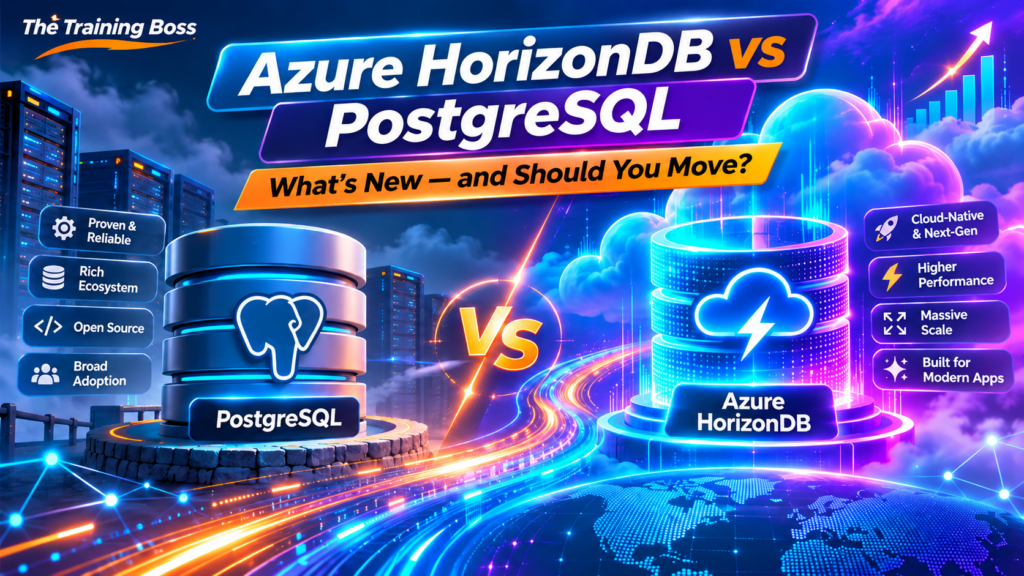
Microsoft just changed the PostgreSQL game. But is Azure HorizonDB really better than Azure Database for PostgreSQL? Let’s find out!
Hold On… Didn’t We Already Have PostgreSQL on Azure?
Yes! And it’s actually pretty darn good.
For years, Microsoft has offered Azure Database for PostgreSQL Flexible Server, giving developers and enterprises a powerful, fully managed PostgreSQL platform without the headache of managing virtual machines, backups, patches, and infrastructure.
And with PostgreSQL 18, things have only gotten better.
So imagine my reaction when Microsoft stepped onto the stage at Microsoft Ignite 2026 and announced that Azure HorizonDB is now Generally Available, effective November 17, 2026.
Wait a minute.
Another PostgreSQL service?
Why?
Is Microsoft replacing Flexible Server? Is PostgreSQL 18 suddenly old news? even with the release of PostgreSQL 19 two days ago, still? Should we all start migrating our databases tomorrow morning?
Not so fast!
The answer is far more interesting than simply introducing another database service.
HorizonDB represents a fundamentally different approach to running PostgreSQL in the cloud. And for certain workloads, especially enterprise SaaS platforms, high-volume transactional applications, and AI-powered systems, the implications could be enormous.
Let’s break it down!
1. The Big Difference: It’s All About Architecture!
Here’s something I frequently emphasize when discussing cloud architecture:
Sometimes the most important innovation isn’t what the technology does. It’s how the technology does it.
Traditional PostgreSQL was designed around a database server that manages compute, memory, transaction processing, and database storage.
Azure PostgreSQL Flexible Server modernizes this experience with managed infrastructure, automated maintenance, backups, high availability, and scaling options.
But its core architecture remains relatively close to traditional PostgreSQL deployments.
HorizonDB takes a different approach.
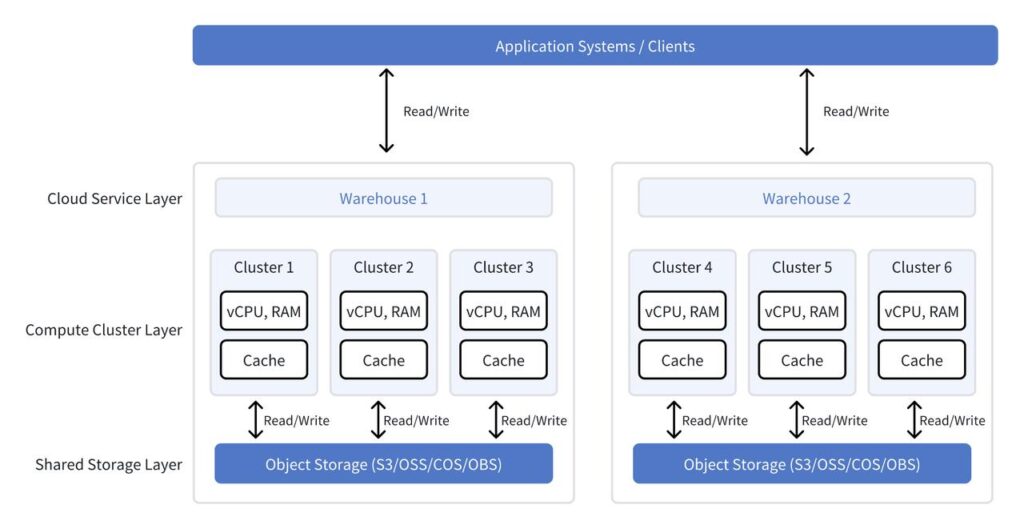
It separates compute from storage and introduces a distributed, log-based storage architecture.
Think of it this way:
Azure PostgreSQL Flexible Server: The Traditional Approach
Imagine a restaurant where each chef works in a fully equipped kitchen.
Each kitchen has its own equipment, ingredients, and workspace.
Want another kitchen to help prepare more orders?
You need another kitchen, complete with its own equipment and supplies.
That’s somewhat similar to conventional PostgreSQL read replicas, which maintain their own database copies.
Azure HorizonDB: The Cloud-Native Approach
Now imagine several chefs sharing a giant, centralized, highly efficient food preparation infrastructure.
Each chef has the computing resources needed to prepare orders, but they all access the same underlying durable data.
Need more chefs to handle customer requests?
Add more compute resources.
Need more storage?
Expand the storage independently.
You no longer need to duplicate the entire database for every read replica.
That’s the architectural magic behind HorizonDB!
Technically, Microsoft describes HorizonDB as a disaggregated compute and storage architecture using a database-as-a-log design.
Its storage layer separates the write-ahead log (WAL) from the data storage service. Compute nodes write transaction logs into durable shared storage, while storage nodes apply those logs to maintain database pages.
This reduces some traditional PostgreSQL write and checkpoint overhead.
And that matters enormously when workloads start growing.
2. Performance: Microsoft Is Making Some Serious Claims!
Let’s get to the numbers, because this is where things get exciting.
Microsoft reports that HorizonDB can deliver up to 8 times faster OLTP performance compared with self-managed PostgreSQL under its published benchmark conditions.
Yes, you read that correctly.
Up to 8×!
Now, before everyone starts rewriting their infrastructure diagrams, we need to understand what that number actually means.
Microsoft’s published test uses a particular HammerDB TPROC-C configuration, comparing systems on comparable hardware with high availability enabled.
It is not a claim that HorizonDB will automatically outperform Azure PostgreSQL 18 Flexible Server by eight times.
Your application’s actual improvement will depend on transaction patterns, indexes, contention, query plans, hardware configurations, and other factors.
But the underlying architectural advantage is real.
HorizonDB reduces database write amplification by sending WAL records to a dedicated storage service rather than relying on conventional database-page writes from compute nodes.
The result is an architecture designed for high transaction throughput and predictable latency.
Microsoft also advertises sub-millisecond transaction commit latency across availability zones in its tested configurations.
Imagine what that could mean for:
Financial transaction processing
Enterprise SaaS applications
High-volume e-commerce platforms
Customer relationship management systems
Real-time operational systems
AI applications making frequent database queries
Suddenly, PostgreSQL isn’t simply a database you deploy in Azure.
It’s becoming a much more cloud-native transactional platform.
That’s a big deal!
3. Read Scalability: Give Me More Readers!
Let’s talk about one of the most frustrating challenges in database architecture.
Your application becomes successful.
Congratulations!
More users arrive. More dashboards are opened. More API requests come in. More reports need to run.
And guess what?
Your database starts sweating.
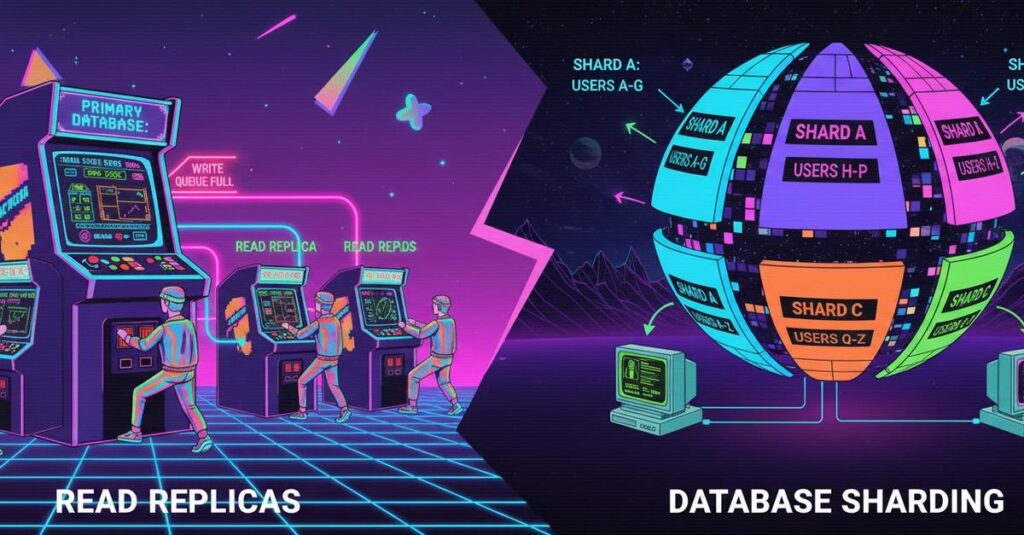
With traditional PostgreSQL, you can add read replicas to distribute read workloads.
Flexible Server already supports this capability.
But conventional replicas maintain their own database copies, requiring additional storage and replication management.
HorizonDB changes that relationship.
It supports up to 15 reader nodes sharing the same underlying durable data layer.
These readers can be added to scale read operations without creating separate full physical copies of the database.
HorizonDB also provides a dedicated read-only endpoint that can distribute connections across available readers.
Think about the possibilities.
An enterprise application might have thousands of users simultaneously requesting reports, searching records, viewing dashboards, and interacting with AI-powered assistants.
Instead of forcing all those requests through the primary database node, you distribute the reads across multiple compute nodes.
And because storage is shared, scaling readers becomes more efficient.
One important detail: HorizonDB still uses a single writable primary per cluster.
This is read scaling, not unlimited horizontal write scaling.
If your application needs distributed writes across multiple database shards, you should evaluate alternative architectures, including PostgreSQL elastic clusters.
Nevertheless, for read-intensive applications, this could be one of HorizonDB’s most compelling advantages.
4. AI and Vector Search: Now Things Get REALLY Interesting!
If you’ve followed my work at The Training Boss, you already know how excited I am about AI agents, Microsoft Foundry, Microsoft Agent Framework, and intelligent applications.
Well, this is where HorizonDB really caught my attention.
For years, PostgreSQL has steadily evolved beyond traditional relational data processing.
With extensions such as pgvector, developers can store embeddings and perform semantic similarity searches directly inside PostgreSQL.
That’s incredibly useful for Retrieval-Augmented Generation (RAG), recommendation engines, and AI-powered applications.
But as vector datasets grow, search performance, index sizes, and memory consumption become increasingly important.
Enter DiskANN!
HorizonDB includes support for DiskANN-based vector indexing alongside pgvector.
DiskANN is designed to perform efficient approximate nearest-neighbor searches while making effective use of disk-based storage.
Microsoft reports that its DiskANN indexing can provide up to 1.5× higher throughput than HNSW at comparable recall, with indexes up to five times smaller in its tested scenarios.
That can be extremely valuable when managing millions of vector embeddings.
And HorizonDB doesn’t stop with vector search.
It also supports capabilities such as:
Hybrid search: Combine semantic vector similarity with keyword search using techniques such as Reciprocal Rank Fusion (RRF).
BM25 ranking: Retrieve documents using relevance-ranked lexical search through the pg_textsearch extension.
Graph queries: Explore relationships between entities through Apache AGE.
AI functions: Invoke AI models for tasks such as embedding generation and data extraction.
AI pipelines: Build workflows that enrich and process data asynchronously.
Some of these AI capabilities, including AI Model Management and Knowledge Graphs, remain in preview even though the core HorizonDB service is GA. Always verify individual feature readiness before adopting them for production.
Why should AI developers care?
Imagine building an intelligent customer service agent using Microsoft Agent Framework.
Your agent needs to answer questions using:
Customer records stored in relational tables
Semantic knowledge retrieved through vector search
Exact product identifiers found through keyword search
Historical relationships discovered through graph queries
Traditionally, you might assemble several specialized technologies to support these capabilities.
HorizonDB creates an opportunity to consolidate more of that functionality into a PostgreSQL-compatible data platform.
Does that mean you should immediately eliminate Azure AI Search, Cosmos DB, or every dedicated vector database?
Absolutely not!
Those technologies have their own strengths.
But HorizonDB gives architects another powerful option, particularly when the application’s operational data already lives in PostgreSQL.
And I love having more architectural options!

5. High Availability: What Happens When Things Go Wrong?
Let’s face it.
Nobody gets excited about database failover.
Until the database fails.
Then suddenly it’s the most important topic in the building!
HorizonDB’s shared durable storage architecture provides advantages for high availability.
Because the storage layer manages durable WAL and data independently from compute, a replacement compute node doesn’t have to rebuild its entire database storage from a separate replica.
Microsoft advertises failover in under five seconds in its published scenarios.
That’s impressive!
But remember that failover times depend on configuration, workload, client behavior, and the particular failure.
HorizonDB also provides zone-resilient storage by default.
However, zone-resilient storage does not automatically mean your compute layer has redundant failover capacity.
A highly available compute deployment requires an appropriate multi-node configuration.
For mission-critical applications, I would test actual failover behavior, transaction recovery, and application reconnection rather than simply relying on a published performance number.
The lesson?
High availability isn’t just a checkbox.
It’s an architectural decision that needs to be validated.
6. Storage: How Does 128 TB Sound?
Here’s another interesting number.
HorizonDB supports databases up to 128 TB, according to Microsoft’s GA announcement.
But capacity alone isn’t what makes the architecture exciting.
The bigger benefit is that storage can expand independently of compute.
In traditional database architectures, scaling storage and compute often involves more coordination around server sizing, disk configuration, and provisioning.
HorizonDB’s distributed storage automatically grows as database data increases.
Need additional database space?
You don’t necessarily have to resize the compute layer.
Need more CPU or memory?
You don’t have to redesign the storage architecture.
For rapidly growing enterprise applications, that separation can simplify capacity planning considerably.
Of course, you still pay for provisioned compute and consumed storage.
And while architecture can improve efficiency, more scalable does not automatically mean less expensive.
Always compare the actual monthly costs!

7. Let’s Talk About Microsoft Fabric and AI Agents
The Microsoft data ecosystem is becoming increasingly interesting.
We have Azure SQL, PostgreSQL, Cosmos DB, Microsoft Fabric, Microsoft Foundry, and now HorizonDB.
At first glance, that might seem like an overwhelming number of technologies.
But there’s an important strategic direction emerging.
Microsoft is making it easier for developers to connect transactional data, analytical data, and AI-powered applications.
Azure HorizonDB supports integration scenarios involving Microsoft Fabric and OneLake, allowing transactional information to contribute to broader analytical workloads.
But there’s another important announcement to understand.
Azure HorizonDB vs. Microsoft Fabric HorizonDB
Yes, Microsoft now uses the HorizonDB name for two related but distinct offerings.
Azure HorizonDB is the fully managed PostgreSQL-compatible database service designed for enterprise transactional and AI workloads.
Microsoft Fabric HorizonDB, introduced in public preview at Ignite 2026, is a serverless PostgreSQL database offering integrated into the Fabric environment.
Fabric HorizonDB introduces capabilities such as usage-based consumption, automatic compute pause and resume, and deep integration with OneLake.
These are not identical services.
In particular, don’t assume that the Azure HorizonDB GA service automatically includes the same serverless pause-and-resume behavior available in the Fabric offering.
For AI developers, this distinction is important when selecting the right service for your application.
8. Is It Time to Say Goodbye to PostgreSQL Flexible Server?
Not so fast, my friends!
This is where we need to put our architect hats on.
Flexible Server is a mature, production-proven service.
It already offers excellent PostgreSQL functionality, flexible compute choices, backup and recovery features, read replicas, high availability, supported extensions, and established operational tooling.
HorizonDB might be the newer and more ambitious architecture, but that doesn’t mean it is automatically the better choice.
Consider this comparison:
| Capability | PostgreSQL 18 Flexible Server | Azure HorizonDB |
|---|---|---|
| Core architecture | Managed PostgreSQL server architecture | Disaggregated compute and distributed storage |
| Compute scaling | Vertical scaling and specialized elastic-cluster options | Independent compute scaling and read scale-out |
| Read replicas | Conventional replicated database copies | Shared-storage reader nodes |
| Read scalability | Established replica capabilities | Up to 15 reader nodes |
| Storage growth | Managed, provisioned storage | Automatically scaling shared storage |
| Vector search | pgvector and supported extensions | pgvector and DiskANN indexing |
| AI integration | Azure AI ecosystem integrations | Additional integrated AI and search capabilities |
| High availability | Mature HA options | Shared-storage architecture designed for fast failover |
| Service maturity | Established | Newly GA |
| Ideal workload | General-purpose PostgreSQL applications | High-scale transactional and AI-intensive applications |
Both can be great choices.
The right one depends on your workload.
9. The Fine Print: What HorizonDB Still Needs to Improve
Every shiny new technology comes with a few trade-offs.
And HorizonDB is no exception.
According to Microsoft’s service documentation, customers should carefully validate capabilities such as cross-region read replication, integrated PgBouncer connection pooling, configurable backup retention, long-term retention, networking options, and extension compatibility.
Some documentation pages have not yet been fully synchronized with the GA announcements. For example, Microsoft’s GA announcement references customer-managed encryption keys, while older limitations documentation still lists them as unavailable.
Similarly, maintenance-window capabilities may differ from older documentation.
The practical advice is simple:
Before migrating, validate the specific functionality available in your Azure region and service configuration.
For an enterprise database, I would pay particular attention to disaster recovery, recovery-point and recovery-time objectives, backup retention, networking, compliance, connection pooling, and extension support.
A database can be incredibly fast and still be the wrong choice if it cannot meet your business continuity requirements.
10. Who Should Seriously Consider Moving to HorizonDB?
Here’s how I would approach this with customers.
Scenario 1: A Rapidly Growing SaaS Platform
You have hundreds or thousands of customers.
Your transaction volume is increasing.
Your application is becoming increasingly read-heavy.
You are constantly investigating database bottlenecks.
HorizonDB deserves serious consideration.
Independent compute scaling and shared-storage replicas could provide meaningful architectural benefits.
Scenario 2: An AI-Powered Enterprise Application
Your application combines relational data, vector embeddings, semantic retrieval, and AI agents.
You are already using PostgreSQL with pgvector, but your vector indexes are growing and your retrieval workloads are becoming demanding.
HorizonDB could be a very attractive option.
DiskANN, hybrid search, and AI integrations could simplify portions of your architecture.
Scenario 3: A Mission-Critical Transaction Processing System
Your application requires very high transaction throughput, predictable latency, and rapid recovery from failures.
You are pushing traditional PostgreSQL infrastructure toward its practical limits.
This is exactly the kind of workload HorizonDB was designed to address.
Benchmark it carefully.
Scenario 4: A Small Business Application
Your PostgreSQL database has 20 GB of data.
You run a few hundred queries per minute.
Everything performs beautifully.
Your Azure bill is reasonable.
Should you migrate?
Probably not!
There is absolutely nothing wrong with keeping an architecture that already meets your requirements.
Newer doesn’t automatically mean better.
And complexity without business value is never a good investment.
11. How Would I Evaluate a Migration?
If I were advising a customer considering HorizonDB, I wouldn’t start by asking how quickly we could migrate.
I would start with a different question:
What problem are we actually trying to solve?
Then I would establish a baseline of the existing PostgreSQL environment.
Here’s what I’d measure:
Transaction performance: Compare throughput, p95/p99 query latency, and behavior under peak load.
Read scalability: Determine how efficiently additional read nodes handle concurrent users and API traffic.
Vector search: Compare pgvector HNSW and IVFFlat configurations against HorizonDB DiskANN, measuring search latency, recall, index size, and resource consumption.
Availability: Test failover, application reconnection, and recovery behavior.
Compatibility: Check PostgreSQL extensions, stored procedures, drivers, SQL functionality, and operational tooling.
Total cost: Compare compute, storage, backup, networking, replicas, and administration costs.
The interesting news is that Microsoft also announced guided migration capabilities for supported PostgreSQL sources, including Flexible Server and several other managed or self-hosted environments.
These migration workflows can make testing and evaluating HorizonDB more approachable, although individual migration features may still be in preview.
I would start with a representative proof of concept, not an immediate production cutover.
12. The Bigger Picture: PostgreSQL Is Becoming an AI-Native Data Platform
This is what excites me most about HorizonDB.
For decades, relational databases were primarily the place where applications stored and queried structured business data.
They were the foundation of transaction processing.
Then came the rise of NoSQL databases, distributed data platforms, vector databases, semantic search engines, and now AI agents.
Suddenly, architects were being asked to connect an ever-growing collection of technologies just to build one intelligent application.
HorizonDB represents an interesting evolution.
Microsoft is bringing transactional processing, vector search, full-text search, graph capabilities, and AI integration closer together.
Not every application will need all those features.
And not every workload belongs in one database.
But the opportunity to reduce unnecessary data movement and architectural complexity is compelling.
Think about an AI agent interacting with customer data.
It may need to understand a customer’s purchase history, search for related products, find semantically relevant conversations, identify connected business entities, and update operational records.
Wouldn’t it be interesting if more of that work could happen within one PostgreSQL-compatible data platform?
That’s the opportunity HorizonDB is trying to address.
And for developers building with Microsoft Foundry and Microsoft Agent Framework, this is definitely a technology worth exploring.
Final Thoughts: Should You Move to HorizonDB?
Here’s my take.
Azure HorizonDB is one of Microsoft’s most interesting PostgreSQL announcements in years.
Not because PostgreSQL 18 suddenly became obsolete.
Not because everyone needs another database service.
And certainly not because an exciting performance benchmark should dictate your architecture.
It’s interesting because Microsoft has redesigned the underlying architecture to address challenges that become increasingly important as applications scale.
Higher transaction throughput.
More efficient read scaling.
Independent compute and storage.
Advanced vector indexing.
Faster failover.
And an expanding set of capabilities for AI-powered applications.
Those are meaningful architectural improvements.
But as architects, our responsibility isn’t to chase every new technology.
Our responsibility is to select technologies that solve real problems and deliver measurable business value.
So my advice is simple:
If your PostgreSQL application is running beautifully, enjoy it!
If you’re fighting performance bottlenecks, scaling challenges, or increasingly complex AI data requirements, it’s time to take HorizonDB for a test drive.
And most importantly:
Don’t migrate because HorizonDB is new. Migrate because HorizonDB makes your application better.
Now that’s an architectural decision worth celebrating!
References and Further Reading
Microsoft Ignite 2026: HorizonDB for Enterprises, Developers, and Agents
Microsoft: Azure HorizonDB, Data, Transactions, and AI in One Postgres Database
What do you think? Is HorizonDB compelling enough to make you reconsider your current PostgreSQL architecture? Are you planning to evaluate it for your next enterprise or AI-powered application? I’d love to hear your thoughts!