Have you ever asked an AI model the exact same question twice and received two completely different answers?
Have you ever wondered why one AI agent sounds like a conservative accountant while another sounds like a Hollywood screenwriter after three espressos?
Or why your AI agent occasionally comes up with something so unexpected that you find yourself questioning its entire existence?
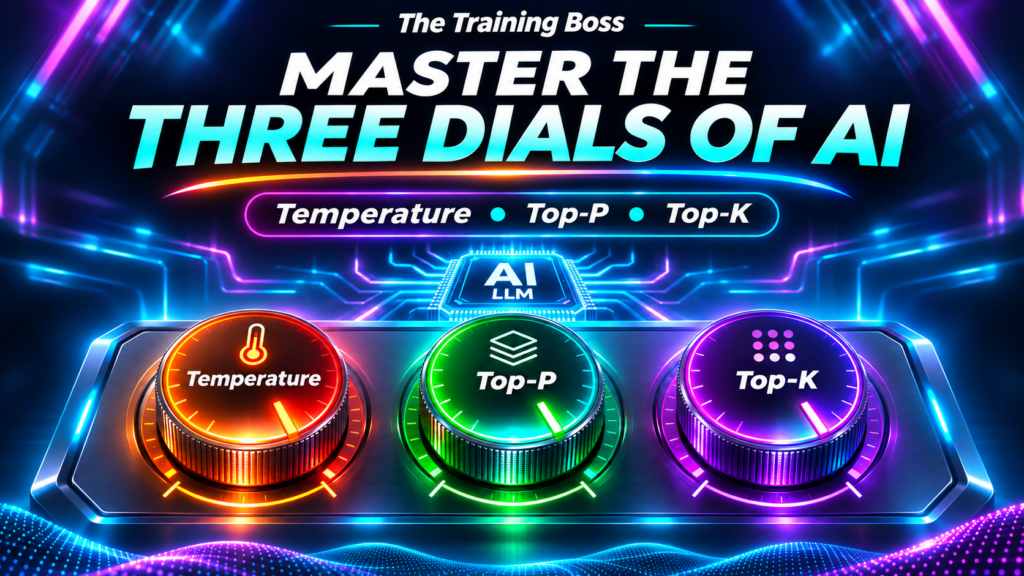
Welcome to the fascinating world of Temperature, Top-P, and Top-K!
These three configuration parameters are among the most important tools available to developers when controlling how large language models generate responses.
Whether you are building AI agents with Microsoft Agent Framework, Microsoft Foundry, Google Agent Development Kit (ADK), or interacting directly with an LLM, understanding these parameters can make a significant difference in the behavior of your applications.
The good news? You don’t need a PhD in mathematics to understand them!
Let’s break them down in plain English.
Before We Touch the Dials: How Does an AI Model Generate a Response?
One of the most fascinating things about large language models is that they generate responses by repeatedly predicting the next token.
A token can be a word, part of a word, a punctuation mark, or another symbol.
Imagine asking an AI model to complete the following sentence:
“The sky is…”
The model calculates a probability distribution for possible next tokens. For simplicity, let’s pretend that each candidate below represents a single token.
| Candidate | Probability |
|---|---|
| Blue | 45% |
| Clear | 25% |
| Cloudy | 15% |
| Beautiful | 8% |
| Dark | 4% |
| Purple | 2% |
| Green | 1% |
| Total | 100% |
These are fictional probabilities for demonstration purposes.
The model considers “Blue” the most likely answer, followed by “Clear” and “Cloudy.”
But does that mean the model must always select “Blue”?
Absolutely not!
This is precisely where Temperature, Top-P, and Top-K enter the picture.
Think of them as three powerful dials on the control panel of your AI model.
Each one influences the decision-making process in a fundamentally different way.
1. Temperature: The Creativity Dial 🌡️

Temperature controls how strongly the model favors the most probable tokens over less probable alternatives.
Imagine Temperature as a dial that adjusts how adventurous your AI model is allowed to be.
Low Temperature: Meet the Conservative Accountant
When you set Temperature to a low value, such as 0.1 or 0.2, the model becomes significantly more inclined to select the most probable tokens.
It favors predictable, conventional, and consistent responses.
Given our previous example, a Temperature of 0.2 might produce a probability distribution that looks approximately like this:
| Candidate | Original | Temperature 0.2 |
|---|---|---|
| Blue | 45% | 94.6% |
| Clear | 25% | 5.0% |
| Cloudy | 15% | 0.4% |
| Beautiful | 8% | Less than 0.1% |
| Dark | 4% | Less than 0.1% |
| Purple | 2% | Less than 0.1% |
| Green | 1% | Less than 0.1% |
Suddenly, “Blue” becomes the overwhelmingly likely answer!
This behavior is particularly useful when building agents responsible for financial analysis, data extraction, document processing, structured outputs, and tool calling.
You generally don’t want your financial AI agent getting adventurous with your accounting records!
Temperature of 1.0: Business as Usual
A Temperature of 1.0 preserves the original probability distribution before any additional sampling filters are applied.
The model selects tokens according to their original relative probabilities.
There is still randomness, but Temperature itself is not increasing or decreasing it.
High Temperature: Unleash the Creative Artist!
When you increase Temperature, the probability distribution becomes flatter.
The most probable tokens become less dominant, while less probable tokens have a greater chance of being selected.
Using a Temperature of 2.0, our example would look approximately like this:
| Candidate | Original | Temperature 2.0 |
|---|---|---|
| Blue | 45% | 29.8% |
| Clear | 25% | 22.2% |
| Cloudy | 15% | 17.2% |
| Beautiful | 8% | 12.6% |
| Dark | 4% | 8.9% |
| Purple | 2% | 6.3% |
| Green | 1% | 4.4% |
Percentages are illustrative and rounded.
Now, the model has a much greater chance of selecting something unexpected.
This can be wonderful for brainstorming, storytelling, marketing campaigns, and creative writing.
Of course, too much randomness can also produce incoherent or inappropriate responses.
There is a fine line between a creative genius and an AI model that has completely lost the plot!
What Happens When Temperature Is Zero?
Where supported, setting Temperature to zero typically causes the model to select the most probable token at every step.
This is commonly known as Greedy Decoding.
However, there is an important distinction:
Temperature 0 does not guarantee 100% deterministic responses.
Infrastructure differences, numerical precision, model updates, and other implementation details can still introduce variations.
Remember:
Temperature changes the probability distribution. It controls how randomly the model chooses.
2. Top-P: The Probability Budget 🎯
Top-P, also known as Nucleus Sampling, takes a completely different approach.
Instead of changing the relative probabilities of the available tokens, Top-P limits which tokens are eligible for selection based on their cumulative probability.
Let’s return to our original example.
| Candidate | Probability | Cumulative Probability |
|---|---|---|
| Blue | 45% | 45% |
| Clear | 25% | 70% |
| Cloudy | 15% | 85% |
| Beautiful | 8% | 93% |
| Dark | 4% | 97% |
| Purple | 2% | 99% |
| Green | 1% | 100% |
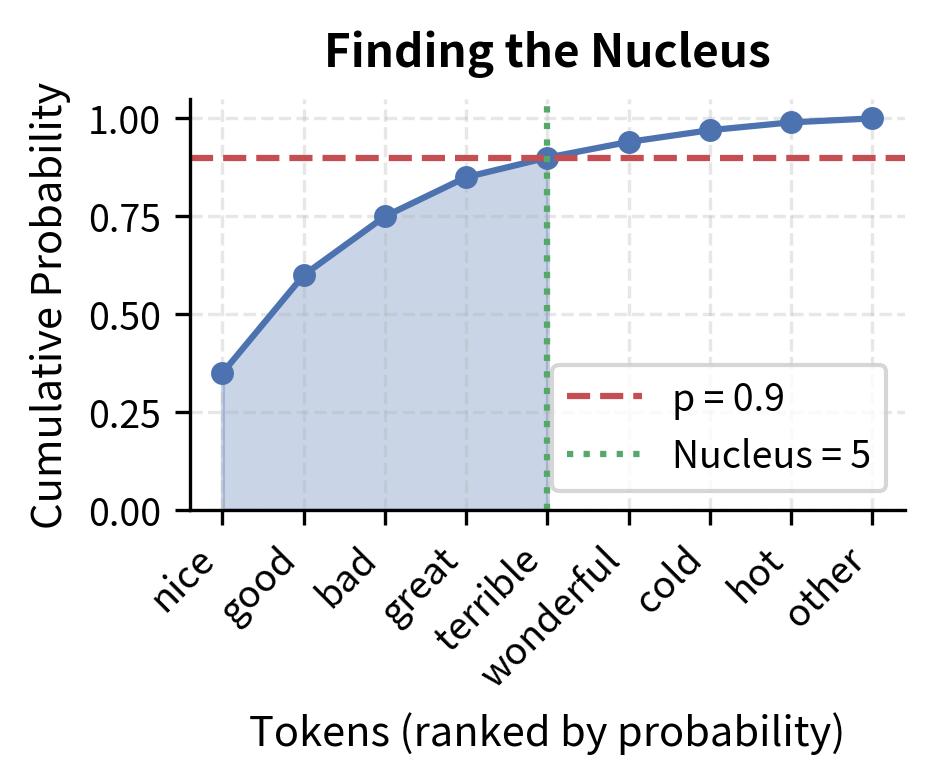
Suppose we configure Top-P to 0.85.
The model starts with the most probable candidate and continues adding candidates until their combined probability reaches at least 85%.
In this case:
Blue: 45% — Included
Clear: 25% — Included
Cloudy: 15% — Included
Beautiful: 8% — Excluded
Dark: 4% — Excluded
Purple: 2% — Excluded
Green: 1% — Excluded
The model now has only three eligible candidates.
Their probabilities are normalized to represent 100% of the remaining distribution before sampling.
What Makes Top-P So Powerful?
The beauty of Top-P is that the number of eligible candidates is dynamic!
Imagine a situation where the model is extremely confident about its next token:
| Candidate | Probability |
|---|---|
| Blue | 92% |
| Clear | 4% |
| Cloudy | 2% |
| Other candidates | 2% |
With Top-P set to 0.85, the model only needs one candidate to reach the threshold.
Now imagine a situation where the model is much less confident:
| Candidate | Probability |
|---|---|
| Blue | 25% |
| Clear | 20% |
| Cloudy | 15% |
| Beautiful | 10% |
| Dark | 10% |
| Purple | 10% |
| Green | 10% |
With the exact same Top-P value of 0.85, the model needs six candidates to reach or exceed the threshold.
Same configuration. Different number of choices!
This adaptability is what makes Nucleus Sampling particularly useful.
Common Top-P Values
| Top-P | General Behavior |
|---|---|
| 0.1 | Extremely restrictive |
| 0.5 | Conservative |
| 0.8 | Moderately restrictive |
| 0.9 | Broad selection |
| 0.95 | Very broad selection |
| 1.0 | No Top-P filtering |
Remember:
Top-P controls how much cumulative probability the model is allowed to consider, not a fixed number of tokens.
3. Top-K: The VIP Guest List 🎟️

Top-K is arguably the easiest of the three parameters to understand.
Imagine hosting an exclusive party.
You have thousands of potential guests, but your venue only has room for 40 people.
Who gets invited?
The top 40 candidates on your list!
That is essentially how Top-K works.
Top-K tells the model to consider only the K most probable tokens, regardless of their combined probability.
Using our original example, let’s configure Top-K to 3.
| Candidate | Probability | Status |
|---|---|---|
| Blue | 45% | Included |
| Clear | 25% | Included |
| Cloudy | 15% | Included |
| Beautiful | 8% | Excluded |
| Dark | 4% | Excluded |
| Purple | 2% | Excluded |
| Green | 1% | Excluded |
Only the three highest-ranked candidates are eligible.
Everyone else is outside the party, wondering why they didn’t make the guest list!
What Happens When We Change Top-K?
| Top-K | Behavior |
|---|---|
| 1 | Only the most probable token is eligible |
| 5 | Up to five candidates are eligible |
| 10 | Up to ten candidates are eligible |
| 40 | Up to forty candidates are eligible |
| 100 | Up to one hundred candidates are eligible |
Unlike Top-P, Top-K establishes a fixed maximum number of candidates.
It does not matter whether those candidates represent 30%, 80%, or 99% of the original probability distribution.
Top-K vs. Top-P
At first glance, Top-K and Top-P might appear to accomplish the same thing.
After all, they both eliminate less probable candidates.
But there is a fundamental difference:
Top-K limits the number of candidates.
Top-P limits candidates according to cumulative probability.
Top-K is a fixed shortlist. Top-P is an adaptive shortlist.
Remember:
Top-K controls how many of the most probable tokens the model is allowed to consider.
4. Let’s Go Out for Dinner: The Ultimate Analogy! 🍽️
Imagine that you are trying to decide where to have dinner tonight.
You have 100 restaurants available, ranked according to your preferences.
How would each of these three parameters influence your decision?
Temperature: How Adventurous Are You Feeling?
A low Temperature means you are probably going back to your favorite Italian restaurant.
A medium Temperature means you might try another restaurant you already know and enjoy.
A high Temperature means you might end up at a completely unfamiliar restaurant serving a cuisine you have never tried before.
Temperature determines how adventurous you are when making your selection.
Top-P: How Much of Your Preference Probability Should You Consider?
You decide to consider only the restaurants that collectively account for at least 90% of your preference probability.
Some nights, that might mean three restaurants.
Other nights, it might mean twenty.
The number of restaurants changes depending on how strongly you prefer certain options.
Top-K: How Many Restaurants Make the Shortlist?
You decide that you will only consider your five favorite restaurants.
That’s it.
You are not considering restaurant number six, regardless of how good its reviews are!
Three different parameters. Three different decision-making mechanisms.
One hopefully delicious dinner!
5. Temperature vs. Top-P vs. Top-K: The Showdown!
Let’s put all three parameters side by side.
| Characteristic | Temperature | Top-P | Top-K |
|---|---|---|---|
| Primary purpose | Controls randomness | Controls probability coverage | Controls candidate count |
| Changes relative probabilities | Yes | No | |
| Directly eliminates candidates | No, at positive temperatures | Yes | Yes |
| Dynamic candidate count | Not applicable | Yes | No |
| Example value | 0.7 | 0.95 | 40 |
| Lower values | More predictable | More restrictive | Fewer choices |
| Higher values | More adventurous | More inclusive | More choices |
| Think of it as | Creativity dial | Probability budget | VIP guest list |
Top-P and Top-K normalize the probabilities of the remaining eligible tokens while preserving their relative probability ratios.
Temperature, on the other hand, changes those relative probabilities.
This is the key technical distinction between these three parameters.
6. Can We Combine All Three Parameters?
Absolutely — provided your model and inference provider support them!
Conceptually, the sampling process can involve several operations:
The model calculates scores for possible next tokens.
Temperature adjusts the relative probabilities.
Top-K restricts the number of eligible candidates.
Top-P restricts the candidates according to cumulative probability.
The remaining probability distribution is normalized.
A token is selected.
The entire process repeats for subsequent tokens until the response is complete.
However, the exact order of operations and the supported parameters depend on the model and inference engine.
Combining all three parameters can give developers considerable control over model behavior.
But here is the catch.
If you configure all three parameters to be extremely restrictive, you can limit the model’s ability to produce diverse and useful responses.
Conversely, making all three parameters excessively permissive can introduce unwanted randomness.
More configuration does not automatically mean better results!
7. What Does This Mean for AI Agent Developers?
This is where things become particularly interesting for those of us building enterprise AI agents.
Not every AI agent should behave the same way.
An AI agent responsible for processing insurance claims should behave very differently from an AI agent responsible for generating advertising campaigns.
An AI agent that calls APIs and executes business workflows has different requirements from an AI agent that creates entertaining social media content.
Why would we configure all of them identically?
Here are some illustrative starting points for experimentation.
| AI Agent or Use Case | Temperature | Top-P | Top-K |
|---|---|---|---|
| Financial analysis | 0–0.2 | 0.9 | 10 |
| Data extraction | 0–0.1 | 0.9 | 5 |
| Tool-calling agent | 0–0.2 | 1.0 | 20 |
| RAG / knowledge retrieval | 0.1–0.3 | 0.9 | 20 |
| Customer service | 0.3–0.5 | 0.95 | 40 |
| Code generation | 0.1–0.4 | 0.95 | 30 |
| Conversational agent | 0.7 | 0.95 | 40 |
| Marketing content | 0.8–1.0 | 0.95 | 50 |
| Creative storytelling | 1.0–1.5 | 0.98 | 80 |
| Brainstorming | 1.0–1.5 | 1.0 | 100 |
These are experimental starting points, not universal best practices or guaranteed optimal configurations. Some combinations may be redundant, especially at very low temperatures.
Different models have different personalities, capabilities, default configurations, supported parameters, and sampling implementations.
Always evaluate the behavior of your specific model against your application’s requirements.
The Enterprise Agent
For an enterprise AI agent responsible for accessing databases, invoking tools, executing workflows, or returning structured information, I would generally start with a low Temperature and leave the other sampling parameters at their defaults.
The priorities are:
Reliability
Consistency
Accurate tool invocation
Predictable behavior
Structured responses
Creativity is not necessarily the most important feature when your AI agent is responsible for executing a financial transaction!
The Creative Agent
For an AI agent responsible for generating marketing content, brainstorming ideas, writing stories, or creating engaging social media posts, a higher Temperature and less restrictive sampling filters may be more appropriate.
The priorities are:
Diversity
Originality
Engagement
Expressiveness
Flexibility
You want your creative agent to explore possibilities rather than repeatedly producing the same conventional response.
The Multi-Agent System
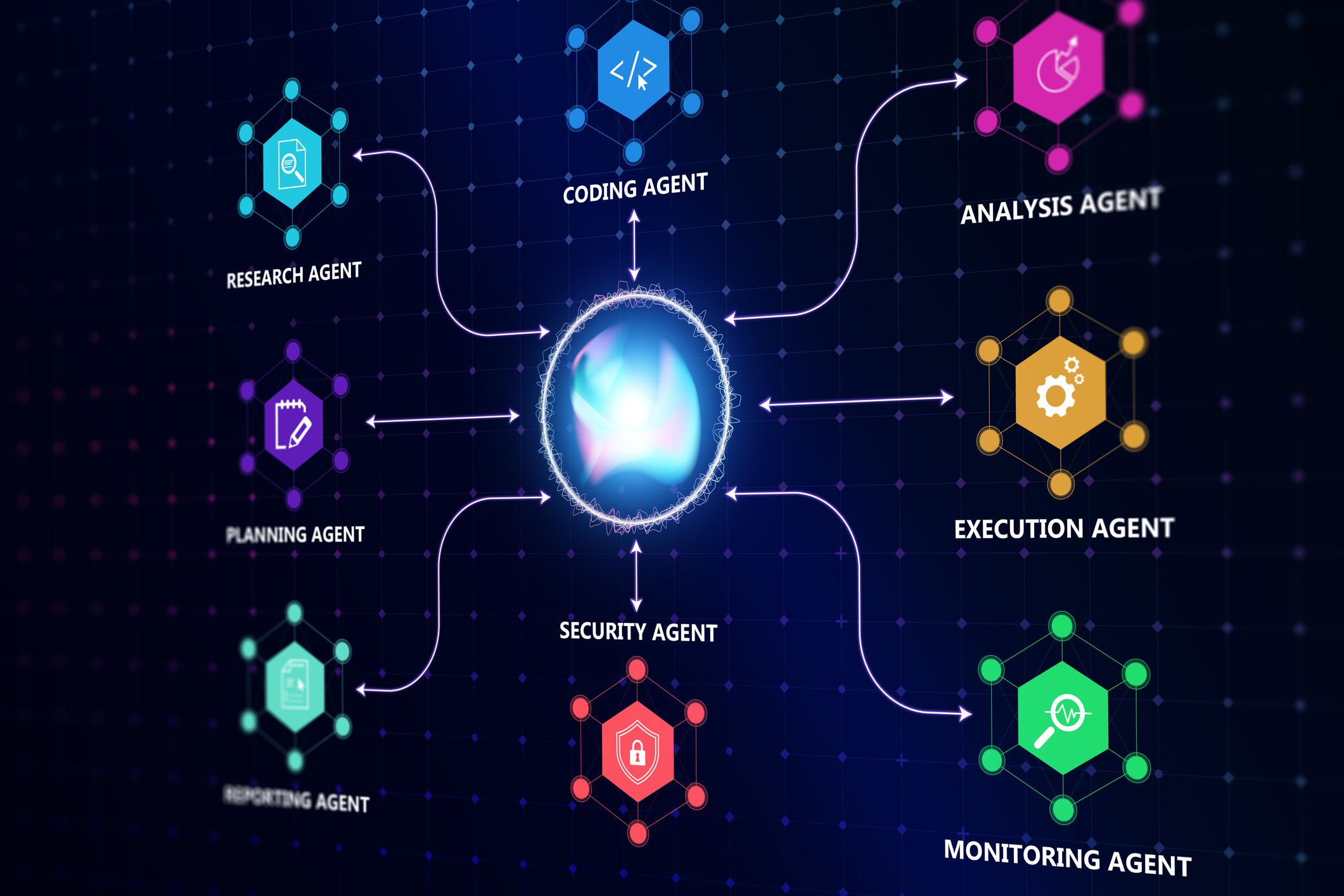
Now imagine building a multi-agent architecture with Microsoft Agent Framework or Google ADK.
You could have multiple specialized agents working together, each using a different model configuration.
| Agent | Example Temperature | Responsibility |
|---|---|---|
| Orchestrator Agent | 0.1 | Workflow coordination |
| Research Agent | 0.2 | Information gathering |
| Financial Agent | 0.1 | Financial analysis |
| Creative Agent | 0.9 | Content generation |
| Marketing Agent | 0.8 | Campaign development |
| Validation Agent | 0.0 | Response verification |
Each agent has a different responsibility and a configuration that can be evaluated and optimized for that responsibility.
This is one of the beautiful aspects of building sophisticated multi-agent systems.
You are not simply selecting an AI model. You are engineering its behavior for a specific purpose.
8. Microsoft Foundry, Microsoft Agent Framework, and Google ADK
As developers, we need to be aware that not every model exposes the same configuration parameters.
For example, many OpenAI model APIs traditionally expose Temperature and Top-P without exposing Top-K.
Other model families, including certain Google Gemini models, may support all three.
Some reasoning models restrict or do not support configurable sampling parameters altogether.
Microsoft Foundry provides access to different model families, while Microsoft Agent Framework and Google ADK provide abstractions for building intelligent agents.
However, the capabilities of the underlying model and inference provider still determine which sampling parameters are available.
Do not assume that because a parameter is available in one SDK, it is supported by every model accessible through that SDK.
Always consult the documentation for the specific model and deployment you are using.
9. Five Common Misconceptions About AI Model Configuration
Let’s bust a few myths!
Myth #1: Temperature 0 guarantees identical responses every time.
False.
Temperature 0 reduces sampling randomness but does not guarantee absolute determinism across all inference environments.
Myth #2: Lower Temperature eliminates hallucinations.
False.
An AI model can confidently and consistently generate incorrect information.
Reducing randomness does not make incorrect information correct.
Grounding, retrieval, validation, and evaluation remain essential.
Myth #3: Higher Temperature makes the AI smarter.
False.
Higher Temperature increases randomness and potentially output diversity. It does not increase the model’s underlying intelligence or knowledge.
Myth #4: Top-P of 0.9 means the AI considers 90% of its vocabulary.
False.
It considers the smallest set of the most probable candidates needed to reach at least 90% of the probability distribution.
The actual number of candidates could be very small.
Myth #5: Configuring all three parameters always produces better results.
False.
These parameters interact with each other. Unnecessary restrictions can sometimes negatively affect output quality.
Start with sensible defaults, change one parameter at a time, and measure the results.
10. My Recommendations for AI Agent Developers
When building and tuning your AI agents, consider the following approach:
Start with the model’s default configuration.
Determine whether your agent requires predictability, creativity, or a balance between the two.
Adjust Temperature first, where supported.
Experiment with Top-P if you need additional control over token selection.
Experiment with Top-K if your model supports it and a candidate-count limit is useful.
Run repeated evaluations against realistic business scenarios.
Measure accuracy, consistency, relevance, tool-calling success, and output quality.
Document and version your configuration alongside your prompts and agent instructions.
Don’t simply copy configuration values from another developer’s application and assume they will work perfectly for yours.
AI model configuration should be an engineering decision, not a guessing game.
The Ultimate Cheat Sheet
If you forget everything else from this article, remember these three simple questions:
🌡️ Temperature — How randomly should I choose?
Controls how strongly the model favors the most probable tokens.
🎯 Top-P — How much probability should I consider?
Controls the cumulative probability threshold for eligible tokens.
🎟️ Top-K — How many candidates should I consider?
Controls the maximum number of highest-ranked tokens eligible for selection.
Or, in one simple sentence:
Temperature controls HOW the model chooses. Top-P and Top-K control WHAT the model is allowed to choose from.
Final Thoughts: Become the Architect of Your AI’s Behavior
Building intelligent AI applications is about much more than selecting the latest and greatest large language model.
It is about understanding how that model behaves, how to influence that behavior, and how to align its capabilities with real-world business requirements.
Temperature, Top-P, and Top-K may look like three innocent configuration properties in your code, but they can significantly influence the personality, consistency, diversity, and predictability of your AI agents.
Understanding these parameters is another important step toward moving from simply consuming artificial intelligence to engineering intelligent systems.
The next time you create an AI agent, don’t just ask yourself:
“Which model should I use?”
Also ask yourself:
“How do I want this model to behave?”
That is where the real engineering begins!
Keep experimenting. Keep building. Keep learning. And most importantly, have fun with AI!
Ready to Take Your AI Agent Development Skills to the Next Level?
At The Training Boss, we are passionate about helping developers, architects, and technology professionals master the art of building intelligent, enterprise-ready AI solutions.
Explore our training courses covering:
Microsoft Agent Framework Fundamentals in C#
Microsoft Agent Framework Fundamentals in Python
Microsoft Foundry Fundamentals
Generative AI with Azure Cosmos DB
Visit TheTrainingBoss.com to explore our courses, technical articles, training opportunities, and more.
Don’t just use AI. Learn how to engineer it!