Open your laptop, join a video call, blur your background, and ask an AI assistant to summarize a document.
It feels like one computer doing a few ordinary things. Underneath, several kinds of processors may be sharing the work, and a remote data center might be helping, too.
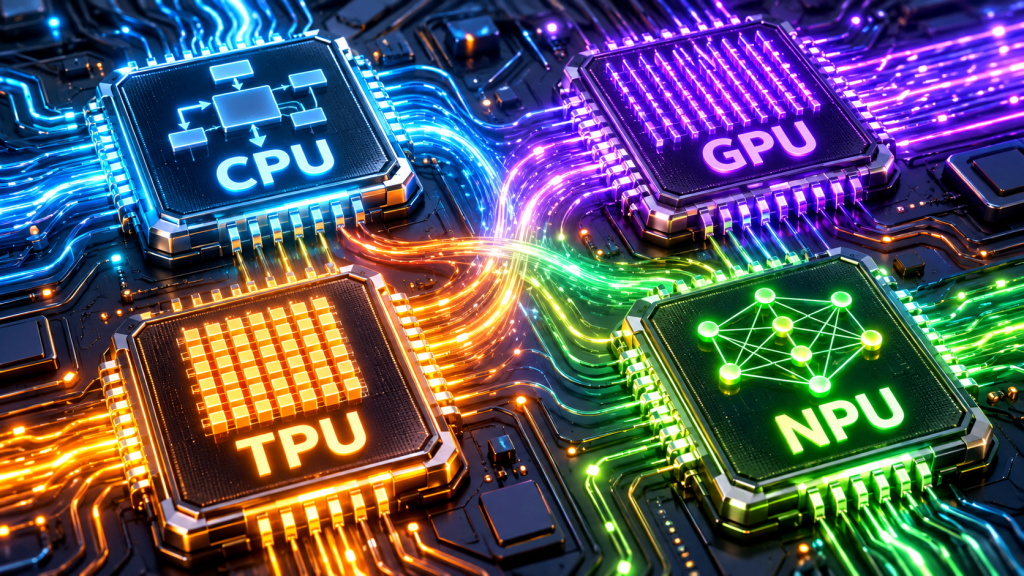
That explains the alphabet soup appearing everywhere in technology: CPU, GPU, TPU, and NPU.
Each exists because computing developed a new need. We needed machines that could follow many different instructions. Then we needed richer graphics. Then enormous amounts of AI computation. Now we want AI features that work on portable devices without exhausting their batteries.
Understanding these processors starts with understanding the problems they were built to solve.
First, two AI terms worth knowing
Training is the process of adjusting a model using examples. A model learning to recognize dogs, for instance, adjusts its internal numerical settings as it processes training data.
Inference is using that trained model. Show it a new photograph, and it predicts whether a dog is present.
Think of training as preparing for an exam and inference as answering a question afterward. Both require computation, but their demands can be very different.
Large models may need extensive computing infrastructure for training. A suitably optimized model can sometimes perform inference on a phone.
CPU: The versatile foundation
CPU stands for Central Processing Unit. It executes the instructions that make general computing possible: running operating systems, applications, business logic, and much of the coordination between other components.
Its defining strength is flexibility.
Consider an online order. The software checks inventory, applies a discount, verifies an address, and decides what happens next. Different results lead to different actions. CPUs are designed to handle this kind of varied work efficiently.
The CPU’s history stretches back before modern personal computers. An important milestone arrived in 1971, when Intel introduced the 4004, a commercial microprocessor that put a CPU on a single chip. It began with a calculator project and helped establish the path toward increasingly compact programmable computers. Intel’s history of the 4004
Why does the CPU still matter in AI? Because running an AI application involves much more than running a model. Someone, or something, must load data, handle requests, apply business rules, and coordinate the system. CPUs perform that foundational work. They can also train and run models themselves, particularly when workloads are smaller or specialized acceleration offers little benefit. Intel’s guide to AI processors
One common oversimplification deserves correcting: CPUs do more than one thing at a time. Modern CPUs have multiple cores and support parallel operations. Their distinction is the balance they strike between flexibility, responsiveness, and throughput.
Remember the CPU as the adaptable problem-solver that keeps the application running.
GPU: Graphics opened the door to AI
GPU stands for Graphics Processing Unit.
Graphics create a particular challenge: a computer must perform huge numbers of related calculations to produce an image, then repeat the process for the next frame. Games, animation, engineering visualization, and other graphics applications helped drive demand for hardware built to tackle that work.
A GPU devotes substantial resources to processing many operations in parallel.
Imagine adjusting the brightness of a large photograph. Much of the same mathematical work must be applied across many pixels. Dividing that work among many processing units can deliver far more throughput than treating every pixel as a separate sequential task.
Researchers recognized that neural networks also require enormous amounts of parallel numerical computation.
Two milestones helped connect those worlds. NVIDIA unveiled its CUDA architecture in 2006, opening GPU computing to a wider range of scientific and research applications. In 2012, the GPU-powered AlexNet neural network demonstrated a major breakthrough in image recognition, helping accelerate the adoption of deep learning. NVIDIA’s historical timeline
Today, GPUs are used for both training and inference, alongside graphics and scientific computing. Their parallel capabilities make them particularly useful for demanding deep learning workloads. Intel’s AI hardware overview
A GPU is not automatically faster for every program. Work must be suitable for parallel execution, and moving data or waiting for other parts of the system can limit the benefit.
Remember the GPU as the engine for large amounts of parallel work.
TPU: Google specializes in the mathematics of machine learning
TPU stands for Tensor Processing Unit, Google’s family of custom machine learning accelerators.
The word tensor sounds intimidating, but in machine learning it generally means an array of numbers. A list is one-dimensional; a table is two-dimensional; images and batches of images can use additional dimensions.
Neural networks repeatedly transform these numerical arrays. Matrix multiplication, combining grids of numbers through multiplication and addition, is a major part of that work.
Google designed TPUs to accelerate these demanding calculations. They are application-specific integrated circuits, or ASICs: hardware designed around a particular class of computation. Cloud TPUs are particularly suited to models dominated by large matrix operations. Google’s introduction to Cloud TPU
Why build them?
At Google’s scale, efficiency becomes an infrastructure problem. Google described an early projection in which widespread daily use of neural-network voice search would have required dramatically more data center capacity with its existing hardware.
Its first TPUs began operating in data centers in 2015 and focused on inference. Google publicly announced the technology in 2016. Later generations expanded its capabilities, including training. Google’s account of the first TPU, the original announcement
For developers, Cloud TPUs provide access to this specialized infrastructure through Google Cloud. Whether they are a good fit depends on the model, supported operations, software, and scale of the workload.
Remember the TPU as Google’s specialist for machine learning computation at scale.
NPU: Bringing efficient AI closer to you
NPU stands for Neural Processing Unit. It is hardware designed to accelerate neural-network computations.
In phones and laptops, the attraction is especially straightforward: perform useful AI work locally while using less power for supported tasks.
A video call might need background effects for an hour. A speech feature might need to respond repeatedly throughout the day. These are jobs where energy efficiency matters as much as peak speed.
Dedicated neural hardware became increasingly visible in consumer devices during the 2010s. One recognizable milestone was Apple’s A11 Bionic in 2017, which included a Neural Engine supporting features such as Face ID. It was an important consumer milestone, rather than the beginning of all neural-processing hardware. Apple’s iPhone X announcement
Today’s PC NPUs emphasize efficient local AI processing. Typical applications include supported speech, image, and video features. Consumer NPUs generally focus on inference rather than training enormous models from scratch. Intel’s guide to deploying AI on PCs
Local processing can reduce network delays and allow some features to work offline. It can also keep the data used for that processing on the device. Those benefits depend on the application: having an NPU does not guarantee that software uses it or that an entire service stays local.
Also, “NPU” is a broad industry term. Different vendors implement different capabilities. The emphasis on phones and laptops describes a prominent use case, not a universal restriction on where neural accelerators can exist.
Remember the NPU as a specialist that makes supported everyday AI tasks more energy-efficient.
The differences at a glance
| Processor | Full name | Main strength | Common AI role |
|---|---|---|---|
| CPU | Central Processing Unit | Flexible computation and control | Application logic, data preparation, coordination, and suitable model workloads |
| GPU | Graphics Processing Unit | High throughput across parallel work | Training and inference for demanding neural networks |
| TPU | Tensor Processing Unit | Google’s specialized machine learning computation | Training and inference on compatible workloads |
| NPU | Neural Processing Unit | Specialized neural-network processing | Often efficient local inference in consumer devices |
These are useful categories, but their boundaries overlap. A TPU is itself a neural-network accelerator. CPUs and GPUs can include specialized AI capabilities. A single system-on-chip can contain CPU cores, a GPU, and an NPU. The acronyms describe computing roles and designs, not necessarily four separate components you could remove from a machine. Intel’s guide to AI accelerators
What this looks like in an actual application
Imagine an AI meeting assistant.
The CPU runs the application and manages the meeting interface. An NPU might handle supported local audio or camera effects. A cloud service might use GPUs or TPUs to run a larger transcription or summarization model.
Alternatively, a suitable smaller model could handle part of the workflow locally.
This is an illustrative architecture; the actual division depends on the product. It shows why understanding the workload matters more than simply asking which processor is “best.”
Where AI computing goes from here
As AI becomes part of more applications, the challenge includes speed, electricity use, memory capacity, response time, and where data is processed.
That makes cooperation between processors increasingly valuable. CPUs provide flexible control. GPUs handle demanding parallel computation. TPUs specialize in compatible machine learning workloads. NPUs bring efficient neural processing into more everyday devices.
For anyone building an AI solution, begin with the job: what must run, how quickly, how often, and where? Then evaluate the hardware and software together.
The most useful AI system is the one that delivers the experience people need within the resources available.
And sometimes, its greatest achievement is simply making your meeting sound better without draining your laptop before lunch.